> ## Documentation Index
> Fetch the complete documentation index at: https://docs.tranthor.com/llms.txt
> Use this file to discover all available pages before exploring further.
# Email Template Editor
Tranthor provides two forms of email template editing:
1. A notion like low-code editor that makes it easy to compose primarily text-based emails.
2. A code-based editor that supports Liquid, HTML, and MJML.
## Low-code Editor
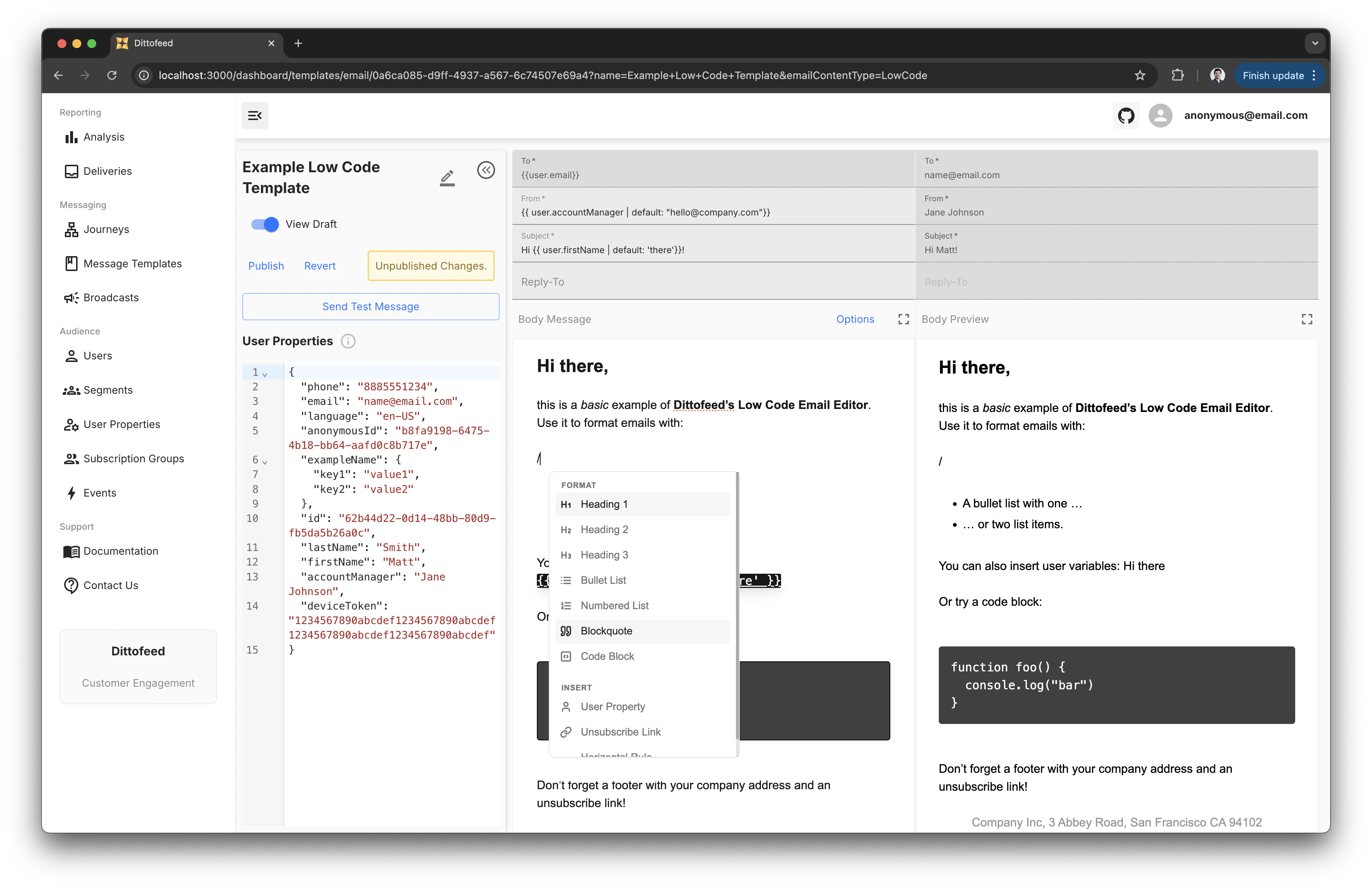
The low-code editor provides a notion-like interface for composing lightly styled emails. Blocks are inserted into the template by typing the `/` key and selecting the desired block from the list of suggestions.
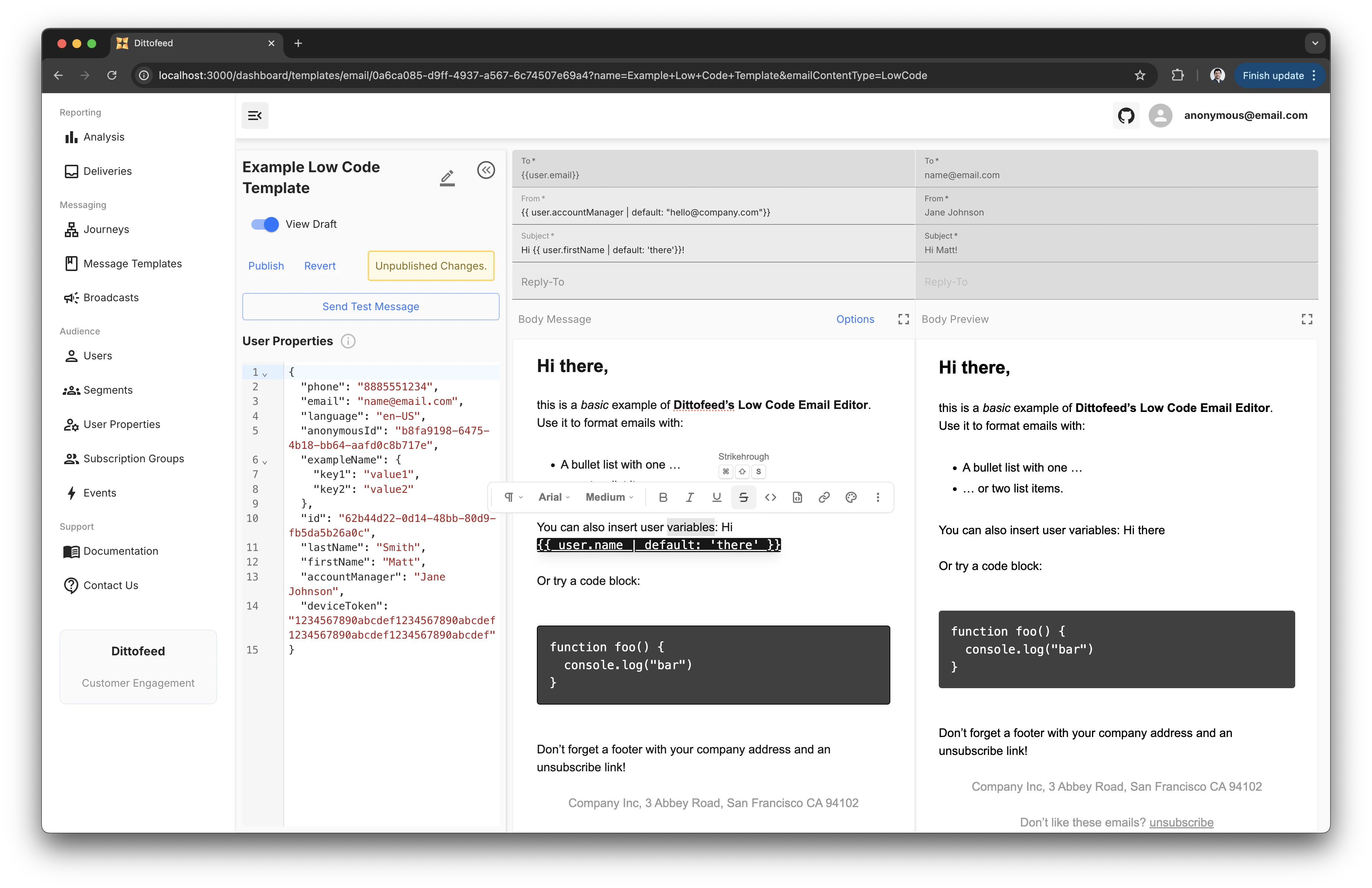
 Text can be formatted by highlighting the text and selecting the desired formatting options from the toolbar that appears.
 ## Code-based Editor
The code-based email editor supports [Liquid syntax](https://liquidjs.com/tutorials/intro-to-liquid.html), HTML, and [MJML](https://mjml.io/). Learn more about coding responsive emails in MJML in [the next section](/resources/templates/mjml).
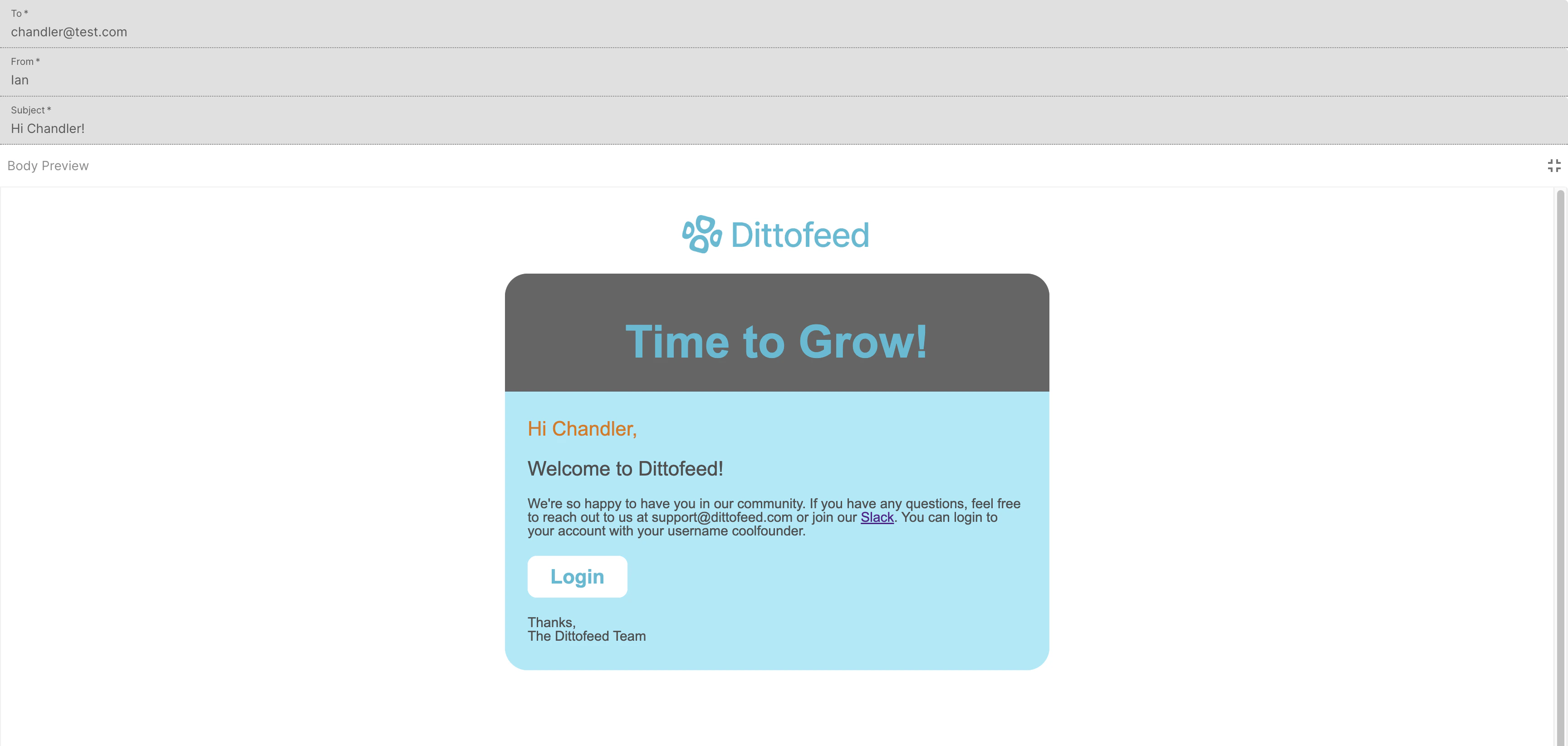
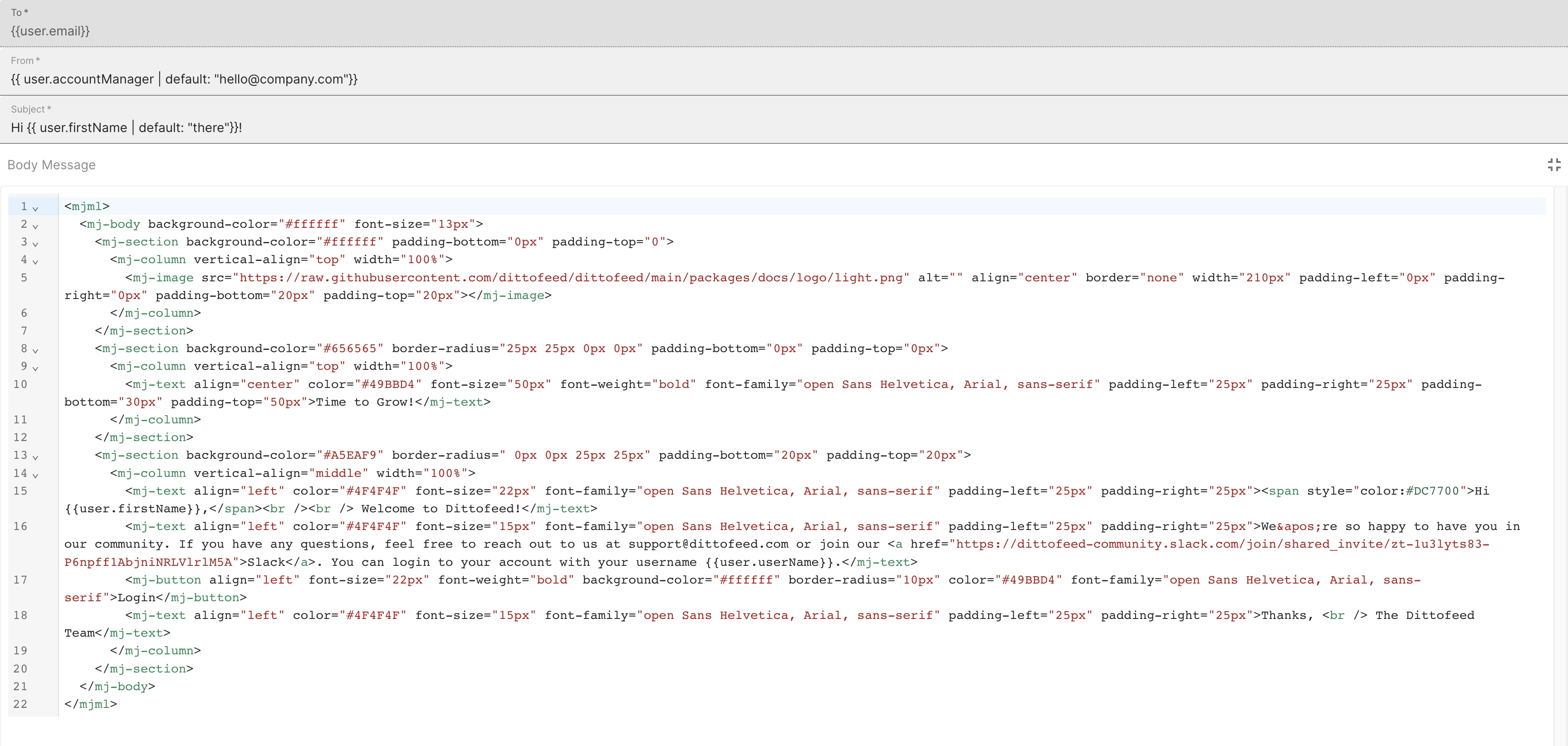
An example of a rendered "welcome email" template using MJML and Liquid:
## Code-based Editor
The code-based email editor supports [Liquid syntax](https://liquidjs.com/tutorials/intro-to-liquid.html), HTML, and [MJML](https://mjml.io/). Learn more about coding responsive emails in MJML in [the next section](/resources/templates/mjml).
An example of a rendered "welcome email" template using MJML and Liquid:
 A view of the dashboard editor with the template code:
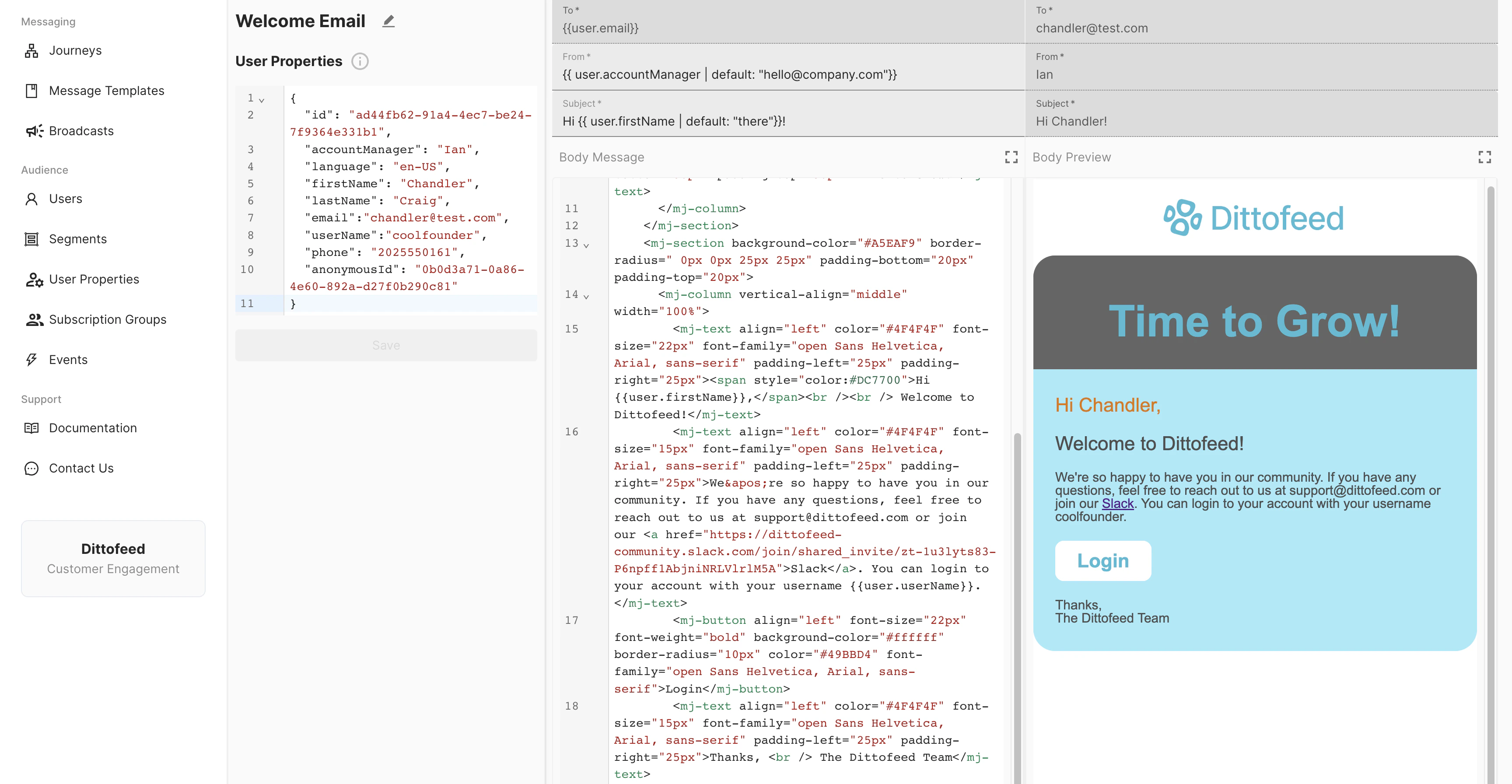
 A full view of your user properties, editor, and a rendered email preview:
 ## Sending Email Attachments
Tranthor supports sending email attachments.
When possible, you should link to files using a URL rather than sending them as attachments. Email attachments can have a substantial negative impact on emails' deliverability.
* Email providers often send emails with attachments to spam.
* Email attachments are often used by malicious actors to distribute malware.
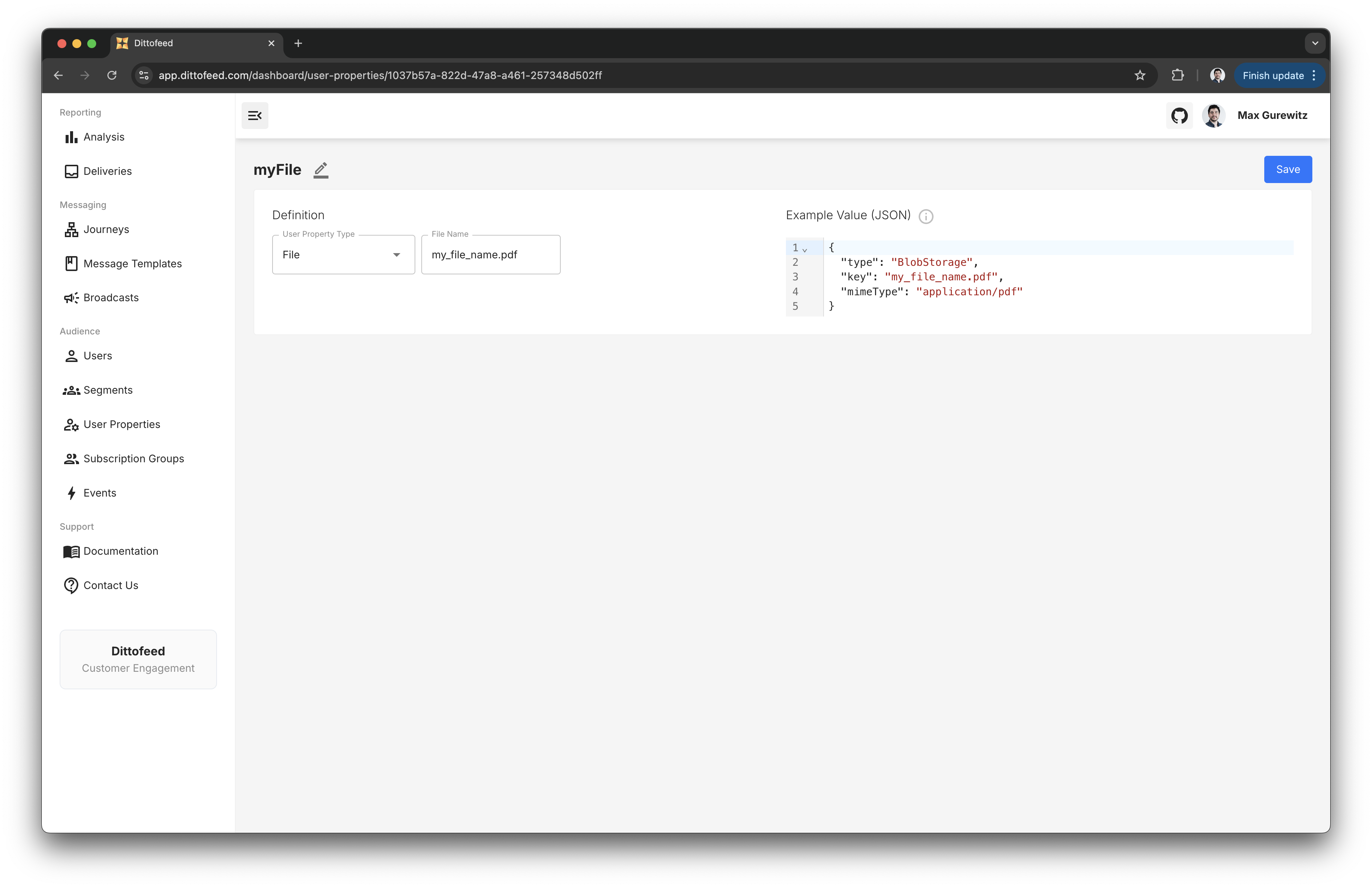
Sending email attachments requires using `File` [type user properties](/resources/user-property-types/file). First, create a user property that will capture the file you're interested in sending.
## Sending Email Attachments
Tranthor supports sending email attachments.
When possible, you should link to files using a URL rather than sending them as attachments. Email attachments can have a substantial negative impact on emails' deliverability.
* Email providers often send emails with attachments to spam.
* Email attachments are often used by malicious actors to distribute malware.
Sending email attachments requires using `File` [type user properties](/resources/user-property-types/file). First, create a user property that will capture the file you're interested in sending.
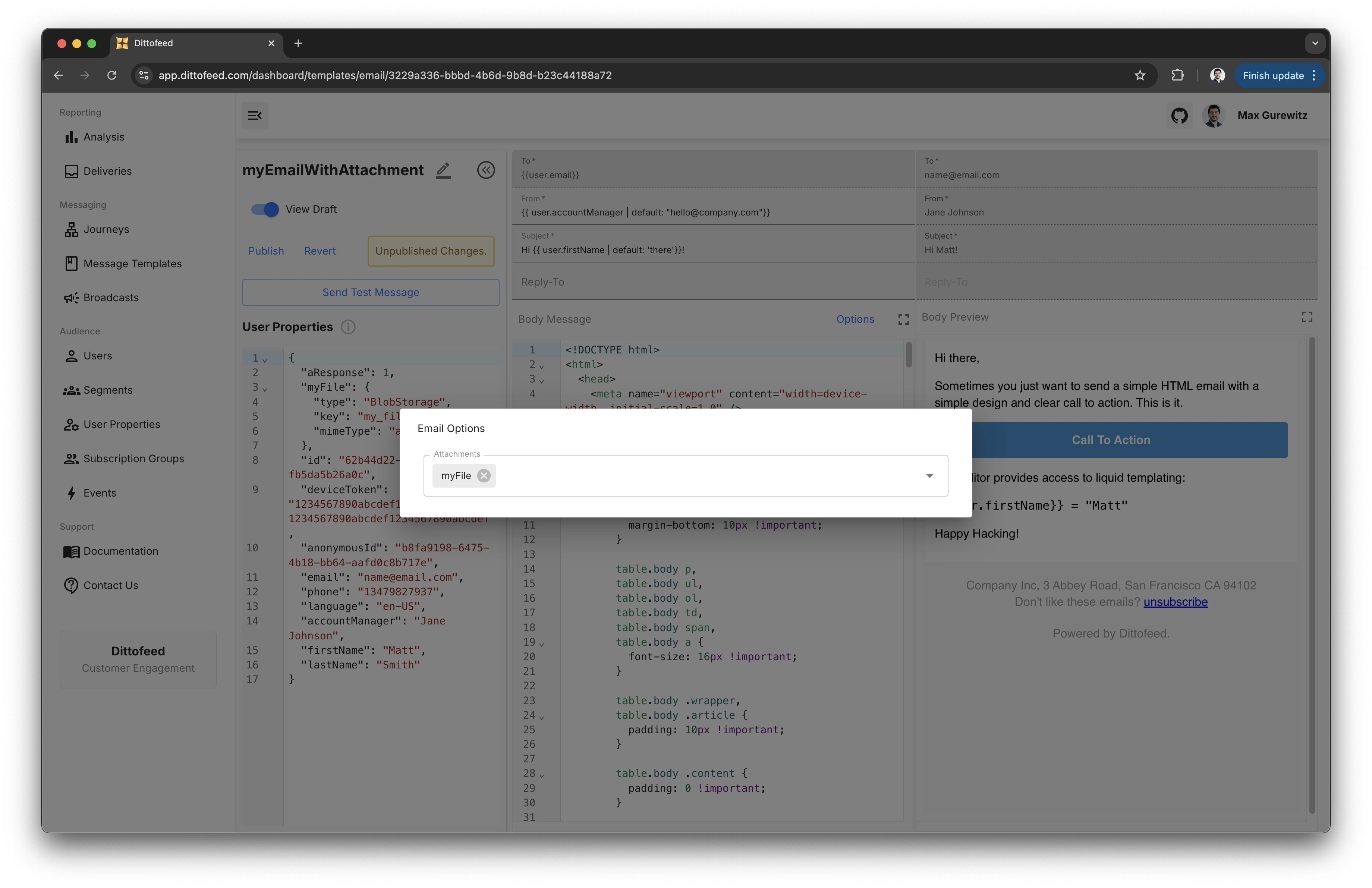
 Then, include a reference to this file in your template, by clicking on "Options".