> ## Documentation Index
> Fetch the complete documentation index at: https://docs.tranthor.com/llms.txt
> Use this file to discover all available pages before exploring further.
# User Properties
> Customizable values for user messages.
User properties are a powerful feature in Tranthor that allow you to define how user events are aggregated to be rendered in your templates.
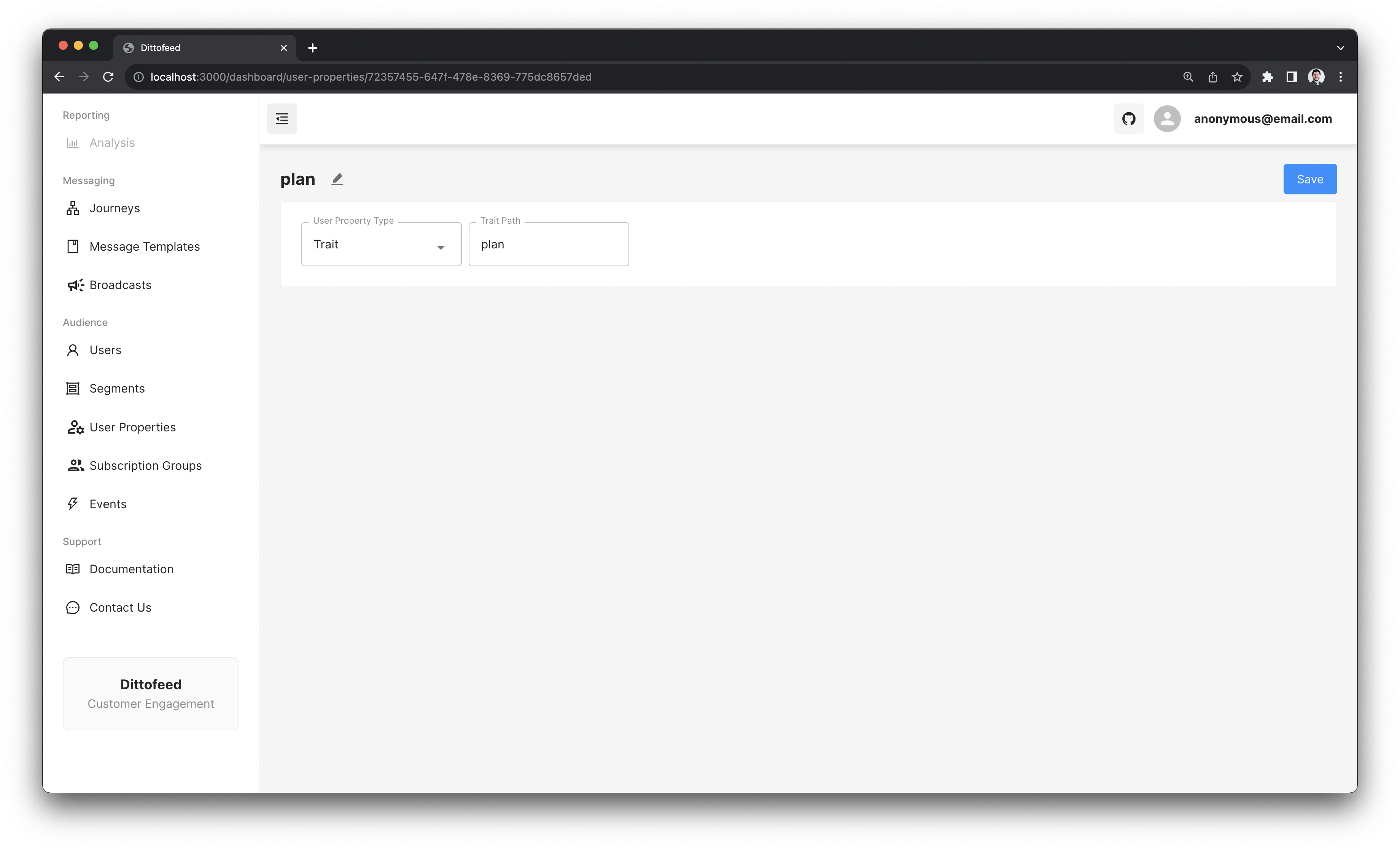 User properties are also used to identify users when contacting channel providers. For example, the `email` property is used to identify users when sending emails.
## User Property Types
* [Trait](/resources/user-property-types/trait): Trait user properties selects the last observed `trait` value of an `identify` event.
* [Performed](/resources/user-property-types/performed): Performed user properties select the last observed `property` value of a `track` event.
* [Id](/resources/user-property-types/id): Tranthor uses the `id` property to identify logged in users.
* [Any Of](/resources/user-property-types/any-of): Any Of user properties can be used to select the most recent value provided by a collection of sub-properties.
* [File](/resources/user-property-types/file): File user properties can be used to reference files in your templates e.g. for sending email attachments.
* [AnonymousId](/resources/user-property-types/anonymous-id): Tranthor uses the `anonymousId` user property to identify logged out users.
* [Keyed Performed](/resources/user-property-types/keyed-performed): Keyed Performed user properties select the last observed `property` value of a `track` event - specialized to [event entry journeys](/resources/journey-nodes/entry#event-entry).
## Default User properties
Tranthor comes pre-populated with a set of default user properties.
* `email`: The user's email address. Used to identify users when sending emails.
* `phone`: The user's phone number. Used to identify users when sending SMS messages.
* `deviceToken`: The user's device token. Used to identify users when sending push notifications.
* `firstName`: The user's first name.
* `lastName`: The user's last name.
* `language`: The user's language.
* `accountManager`: The user's account manager.
* `id`: The user's unique identifier, provided by your system. This user property cannot be deleted or changed.
* `anonymousId`: The user's anonymous identifier, provided for logged out users. This user property cannot be deleted or changed.
## User Property Examples
For example, when rendering an email, you can use the `firstName` user property to personalize the email.
```html theme={null}
Hey {{ user.firstName | default: "there" }}
```
User properties are also used to identify users when contacting channel providers. For example, the `email` property is used to identify users when sending emails.
## User Property Types
* [Trait](/resources/user-property-types/trait): Trait user properties selects the last observed `trait` value of an `identify` event.
* [Performed](/resources/user-property-types/performed): Performed user properties select the last observed `property` value of a `track` event.
* [Id](/resources/user-property-types/id): Tranthor uses the `id` property to identify logged in users.
* [Any Of](/resources/user-property-types/any-of): Any Of user properties can be used to select the most recent value provided by a collection of sub-properties.
* [File](/resources/user-property-types/file): File user properties can be used to reference files in your templates e.g. for sending email attachments.
* [AnonymousId](/resources/user-property-types/anonymous-id): Tranthor uses the `anonymousId` user property to identify logged out users.
* [Keyed Performed](/resources/user-property-types/keyed-performed): Keyed Performed user properties select the last observed `property` value of a `track` event - specialized to [event entry journeys](/resources/journey-nodes/entry#event-entry).
## Default User properties
Tranthor comes pre-populated with a set of default user properties.
* `email`: The user's email address. Used to identify users when sending emails.
* `phone`: The user's phone number. Used to identify users when sending SMS messages.
* `deviceToken`: The user's device token. Used to identify users when sending push notifications.
* `firstName`: The user's first name.
* `lastName`: The user's last name.
* `language`: The user's language.
* `accountManager`: The user's account manager.
* `id`: The user's unique identifier, provided by your system. This user property cannot be deleted or changed.
* `anonymousId`: The user's anonymous identifier, provided for logged out users. This user property cannot be deleted or changed.
## User Property Examples
For example, when rendering an email, you can use the `firstName` user property to personalize the email.
```html theme={null}
Hey {{ user.firstName | default: "there" }}
```