> ## Documentation Index
> Fetch the complete documentation index at: https://docs.tranthor.com/llms.txt
> Use this file to discover all available pages before exploring further.
# File - User Property
File user properties capture the value of a `file` values sent in a `track` event, as a base 64 encoded string. These values can then be used to send email attachments.
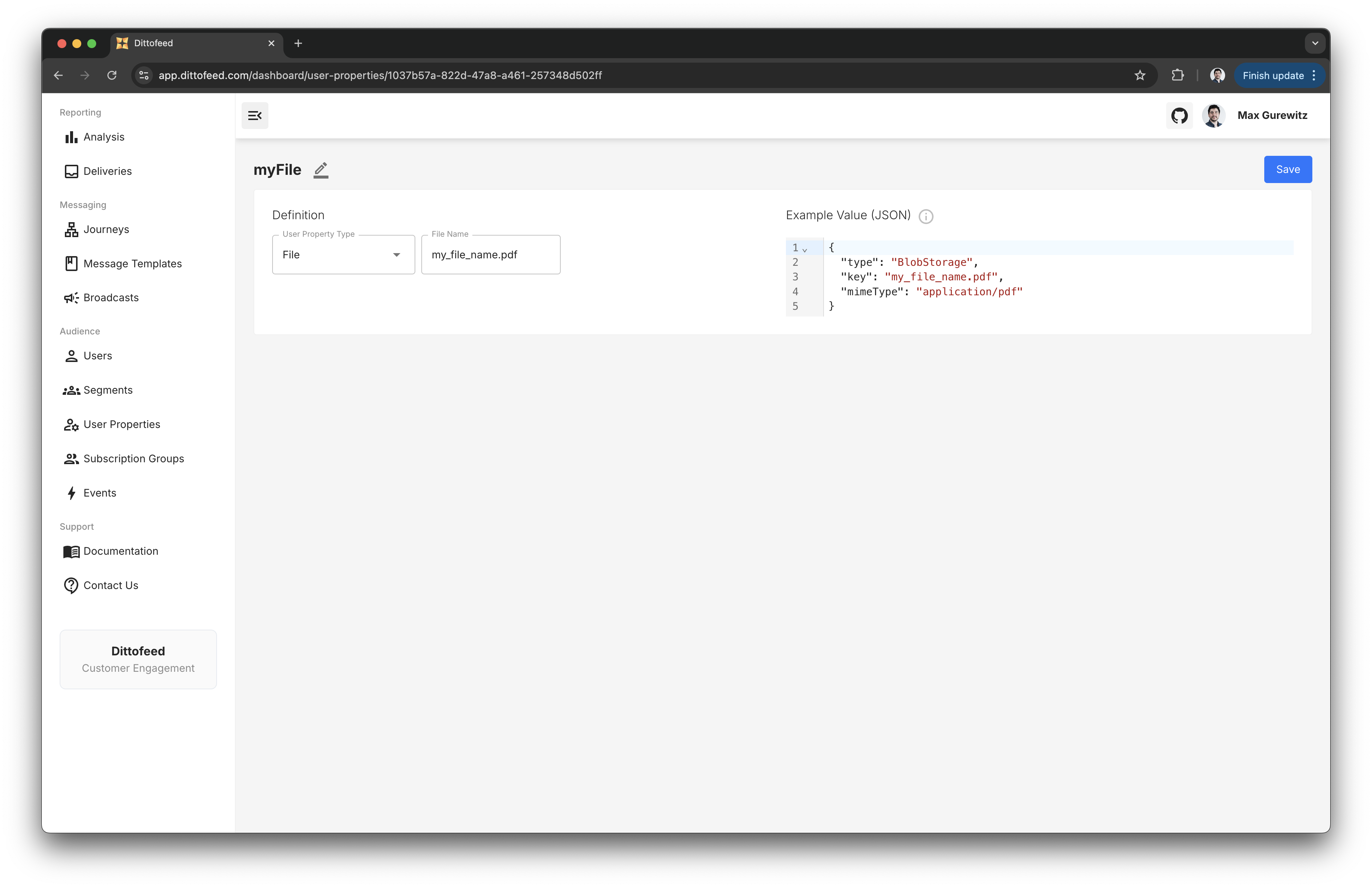 For example, one might create a `File` type user property to capture to send receipt's for a purchase. Then, this file will be assigned as a user property value, which is accessible in templates.
```json theme={null}
{
"type": "track",
"userId": "1234",
"messageId": "72b988f9-97f9-42dd-aeac-75e154cf50e8",
"event": "purchase",
"files": [
{
"type": "Base64Encoded",
"name": "receipt.pdf",
"mimeType": "application/pdf",
"data": "base64 encoded string"
}
],
"properties": {
"orderId": "123456"
}
}
```
Like `Performed` [user properties](/resources/user-property-types/performed), `File` user properties are calculated synchronously from within [event entry Journeys](/resources/journey-nodes/entry#event-entry). This allows you to include files in the same track event used to trigger journeys, and guarantee that the file is used to render message templates for those journeys.
## Example Use Case - Sending an Email Attachment
See the [Email Editor](/resources/templates/email-editor#sending-email-attachments) section for a full example of how to send an email attachment.
For example, one might create a `File` type user property to capture to send receipt's for a purchase. Then, this file will be assigned as a user property value, which is accessible in templates.
```json theme={null}
{
"type": "track",
"userId": "1234",
"messageId": "72b988f9-97f9-42dd-aeac-75e154cf50e8",
"event": "purchase",
"files": [
{
"type": "Base64Encoded",
"name": "receipt.pdf",
"mimeType": "application/pdf",
"data": "base64 encoded string"
}
],
"properties": {
"orderId": "123456"
}
}
```
Like `Performed` [user properties](/resources/user-property-types/performed), `File` user properties are calculated synchronously from within [event entry Journeys](/resources/journey-nodes/entry#event-entry). This allows you to include files in the same track event used to trigger journeys, and guarantee that the file is used to render message templates for those journeys.
## Example Use Case - Sending an Email Attachment
See the [Email Editor](/resources/templates/email-editor#sending-email-attachments) section for a full example of how to send an email attachment.