> ## Documentation Index
> Fetch the complete documentation index at: https://docs.tranthor.com/llms.txt
> Use this file to discover all available pages before exploring further.
# Trait - User Property
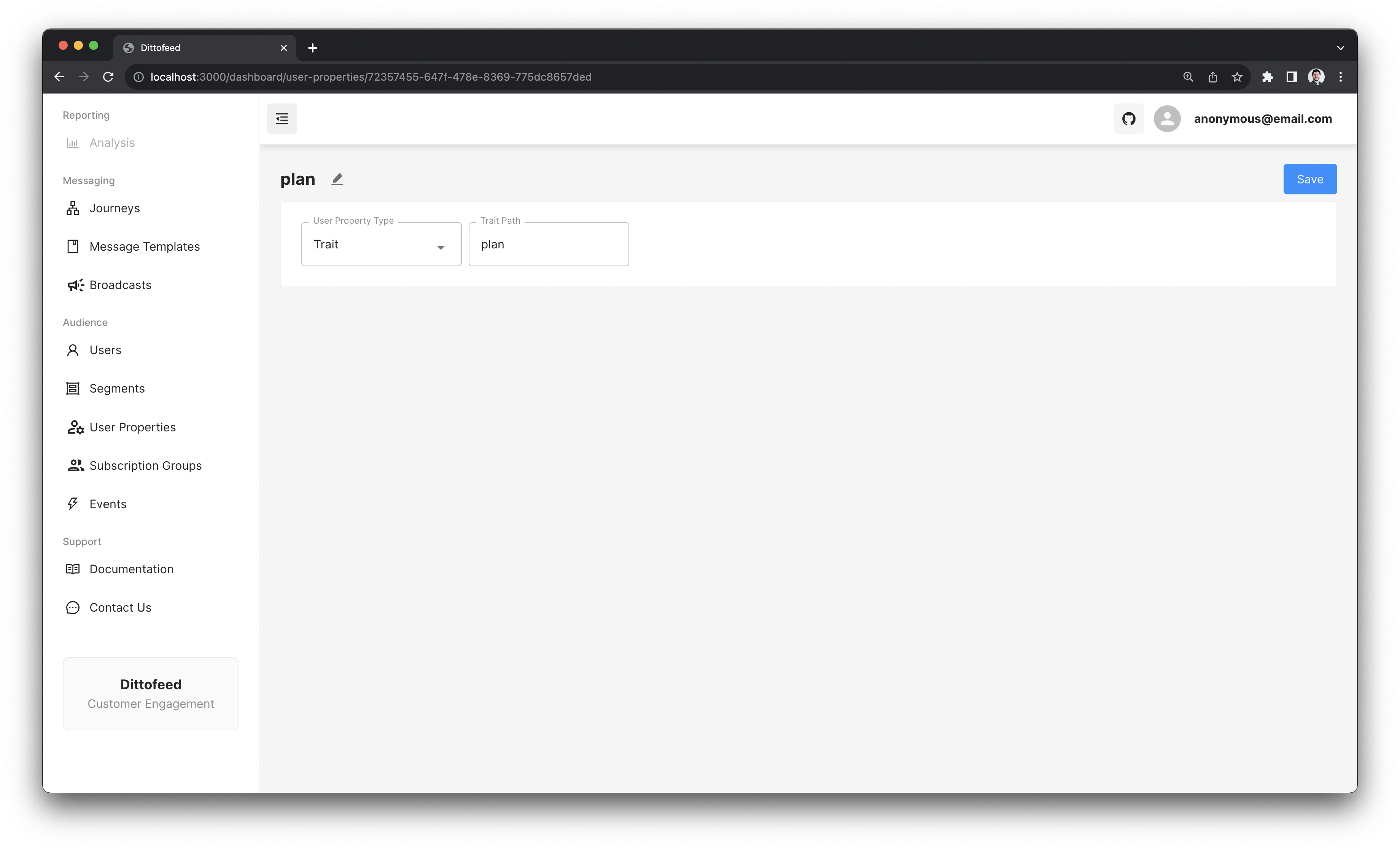
Trait user properties selects the last observed `trait` value of an `identify` event. It is the most basic and commonly used user property type. They can be used to render individual values, or to render arrays and objects.
## Example Use Case - Plan
As an example, imagine that you're running a SAAS business, where users can be subscribed to one of several plans. You can create a `plan` trait.
 ```json theme={null}
{
"type": "identify",
"userId": "1234",
"traits": {
"plan": "premium",
"name": "John Doe",
"email": "john@email.com"
}
}
```
This property would then be available to render in a template.
```html theme={null}
You are subscribed to the {{ user.plan | default: "free" }} tier plan.
```
## Example Use Case - Recommendations
Let's say you're running an online store, and you want to show recommendations to a user. You have a set of recommendations for each user that you've pre-calculated. You can create a `recommendations` trait, and use it to render a list of products.
```json theme={null}
{
"type": "identify",
"userId": "1234",
"traits": {
"recommendations": [
{
"id": "123",
"name": "Laundry Detergent"
},
{
"id": "456",
"name": "Toothpaste"
}
],
"name": "John Doe"
}
}
```
```html theme={null}
{% for product in user.recommendations | default: empty %}
href="https://example.com/product/{{ product.id }}">{{ product.name }}
{% endfor %}
```
This is a demonstration of how `Trait` user properties can be used to render arrays and objects in addition to strings.
```json theme={null}
{
"type": "identify",
"userId": "1234",
"traits": {
"plan": "premium",
"name": "John Doe",
"email": "john@email.com"
}
}
```
This property would then be available to render in a template.
```html theme={null}
You are subscribed to the {{ user.plan | default: "free" }} tier plan.
```
## Example Use Case - Recommendations
Let's say you're running an online store, and you want to show recommendations to a user. You have a set of recommendations for each user that you've pre-calculated. You can create a `recommendations` trait, and use it to render a list of products.
```json theme={null}
{
"type": "identify",
"userId": "1234",
"traits": {
"recommendations": [
{
"id": "123",
"name": "Laundry Detergent"
},
{
"id": "456",
"name": "Toothpaste"
}
],
"name": "John Doe"
}
}
```
```html theme={null}
{% for product in user.recommendations | default: empty %}
href="https://example.com/product/{{ product.id }}">{{ product.name }}
{% endfor %}
```
This is a demonstration of how `Trait` user properties can be used to render arrays and objects in addition to strings.